
ioDiacritics
Restore stripped Bosnian / Croatian / Serbian diacritics — offline.
✓ Signed & notarized — opens on any Mac, no Gatekeeper warnings. macOS 13+ · .dmg ≈5.8 MB · all releases. The demo apps are open source (MIT); the ioDiacritics engine itself is a proprietary library, available for licensing — see terms. Provided “as is”, without warranty.
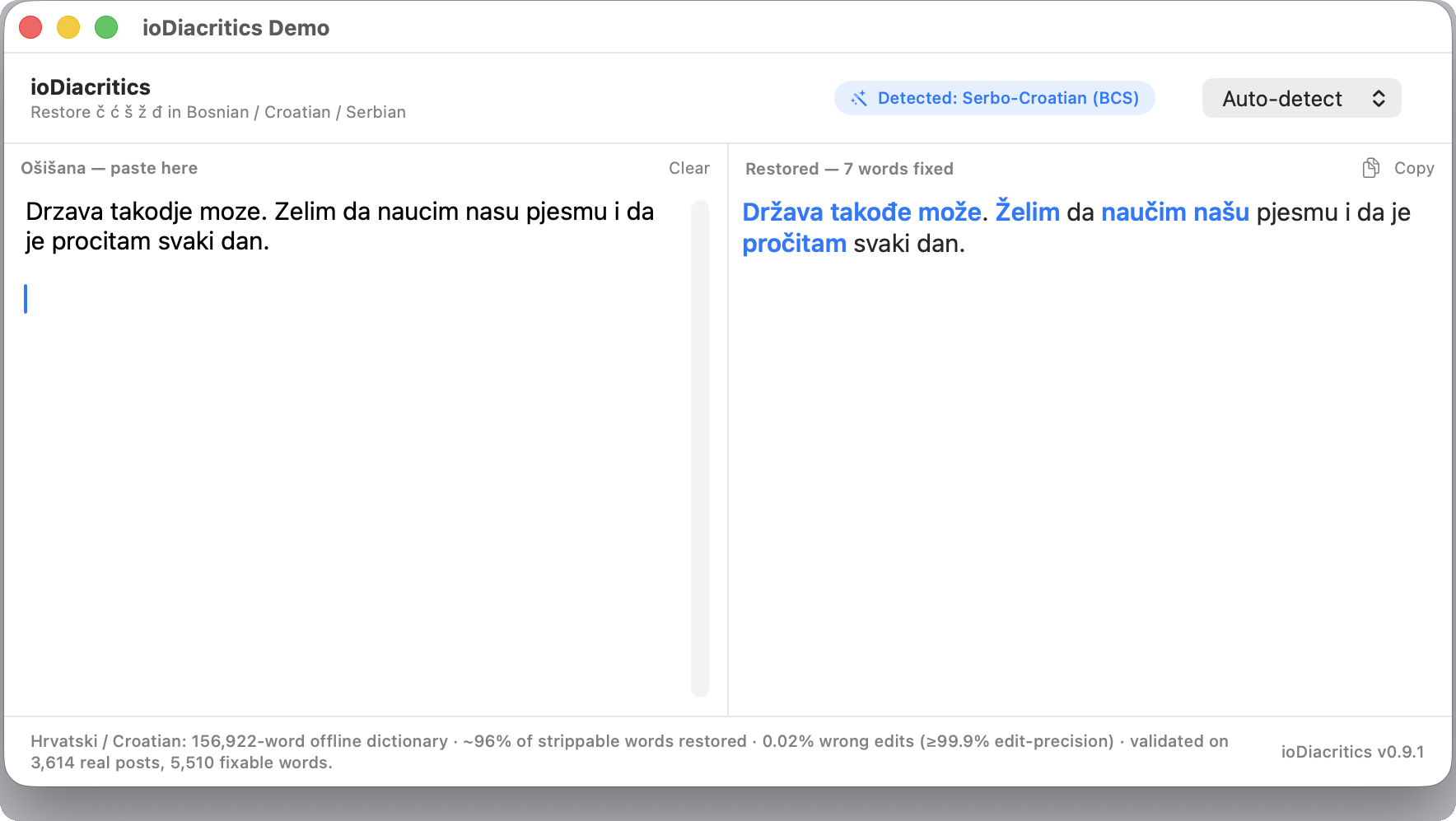
ioDiacritics restores stripped Latin diacritics in Bosnian, Croatian and Serbian text — ć, č, đ, dž, š, ž. Turn citaj sa uzitkom back into čitaj sa užitkom. It's deterministic and AI-free: bundled dictionaries, no ML model, no server, completely offline.
For apps, scripts and text pipelines that need reliable citaj → čitaj restoration without calling an API — license the library and ship.
Two libraries, one engine
- A SwiftPM package for macOS and iOS (Swift 5.9+).
- A portable C++17 library for Windows, Linux and macOS.
- Same engine, dictionaries and quality metrics across both.
Measured quality
- Three language packs — Bosnian 94.9% recall, Croatian 96.1%, Serbian 93.7%.
- ~99.5–100% edit precision: it rarely changes a word it shouldn't.
- Montenegrin covered in compatibility mode.
- Validated on 10,000+ documents using bootstrap confidence intervals.
Demo apps
The ioDiacritics-Demos repository ships three self-contained showcases that link the same engine: a SwiftUI desktop app for macOS, a system input method (Šišana — below), and a cross-platform C++ app (Dear ImGui + GLFW + OpenGL3) for Windows, macOS and Linux. Same dictionaries and quality numbers across all three.
In production: Kvačice.com — a free web tool that does the same job for readers instead of developers: paste bald Latin, get č ć š ž đ back, entirely in the browser and offline after first load. Handy to point someone to when they need the result rather than a library.
📥 — demo downloads so far, straight from GitHub Releases.
⌨️ ioDiacritics Šišana — type with diacritics, anywhere
The newest showcase turns the engine into a macOS input method — a system input source you pick from the keyboard menu, just like a layout. Type bald Latin in any app and the diacritics appear as you go (citaj → čitaj): no window, no copy-paste, no Accessibility permission, fully offline. When a word is genuinely ambiguous it pops a Chinese-style candidate list — casa → časa · čaša · ćasa — so you pick the right reading with a number key, while confident words just restore themselves. It's the most natural way to write šišana Bosnian/Croatian/Serbian: keep typing the easy way and let your text come out correct.
✓ Signed & notarized · macOS 13+ · .pkg ≈4.8 MB. Run the installer — choose Install for all users (admin password → system-wide) or Install for me only (no admin). Then add Šišana in System Settings → Keyboard → Input Sources → + (listed under Serbian (Latin)) and pick it from the menu-bar input menu. Provided “as is”, without warranty — see terms.
Also powers diacritics restoration inside PolyType — or use it online, no install: polytype.app (Serbian · Croatian · Bosnian, right in the browser).